
Kyde
A fast native Git client and diff editor that opens instantly.
Side-by-side diffs · hunk staging · 3-way merge · Claude Code agents · GPU-rendered · written in Rust
A fast native Git client and diff editor that opens instantly.
Side-by-side diffs · hunk staging · 3-way merge · Claude Code agents · GPU-rendered · written in Rust
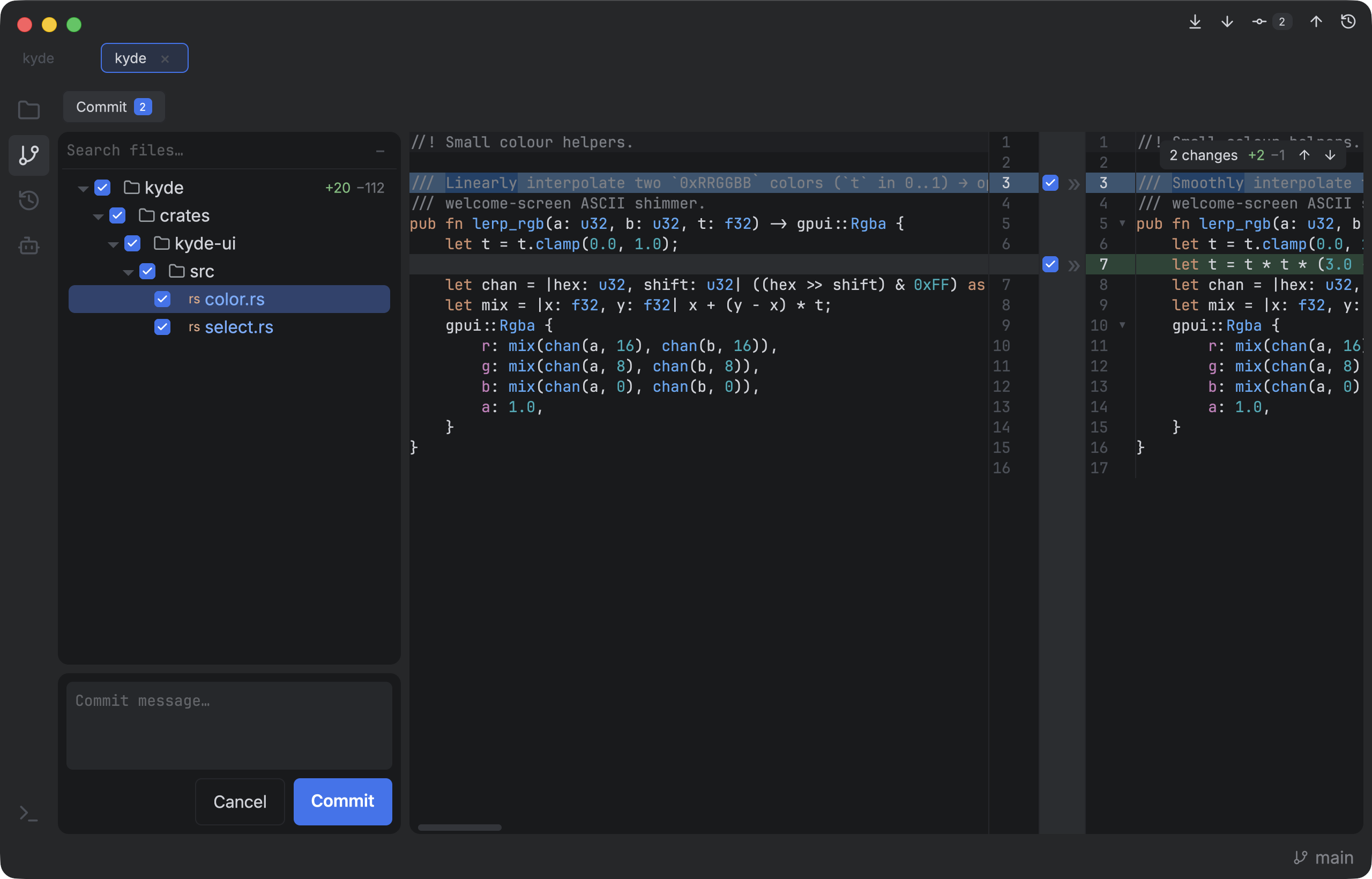
The commit and diff view you live in — without waiting for a JVM to start.
Native GPU rendering on gpui — no web, no Electron. ~120fps scrolling a 37k-line file.
Side-by-side diff with word-level highlighting and a center gutter to stage or revert hunks — git add -p, made visual.
Open a folder, edit with tree-sitter syntax highlighting, opt-in language packs, code folding and find/replace — in diffs too.
Searchable branch and worktree switchers, one-click commit / push / pull / fetch from the title-bar toolbar, a git log with a commit graph and branches sidebar, a 3-pane conflict resolver, and a native rollback window with a checkbox tree of changes.
Per-file snapshots independent of git — a timeline, a before/after diff, and per-hunk or whole-file revert for anything you edited, deleted or rolled back.
Run many Claude Code agents across projects and git worktrees, with live working / done / needs-input status. Start a GitHub issue or review a PR in its own worktree, and finished worktrees clean themselves up. Agents keep running after you quit.
A real PTY-backed multi-tab shell docked at the bottom, with full colour, selection and copy/paste. Your shell, your prompt.
Hand-tuned dark and light palettes that feel at home to anyone who's lived in a modern IDE, plus colour-vision-deficiency variants. Configurable at runtime.
WebStorm or VSCode presets, with every shortcut rebindable in Settings. Fuzzy Go to File and Find Action, and keyboard navigation through every menu, tree and list.
# macOS — download from Releases and drag Kyde.app to /Applications:
#   kyde-macos.zip          Apple Silicon
#   kyde-macos-x86_64.zip   Intel
# The build is Developer ID signed and notarized — no quarantine dance.

# Linux — download kyde-linux-x86_64.AppImage from Releases, then:
chmod +x kyde-linux-x86_64.AppImage && ./kyde-linux-x86_64.AppImage

# or build from source (any platform)
cargo build --release